Download the scores, or query them with the Scores API
News
Scores
API
Every score of the Scores page is now available as CSV, Parquet or Zarr, for any version, region and track.
The scores displayed on the Scores page can now be downloaded, for every published OceanBench version, region and track.
Export the displayed scores
An Export row sits next to the Region and Track pickers.

Each button opens a popup for the selected version, region and track, with:
- a button to download the file, or to copy the Zarr store URL,
- code snippets to open the scores in Python or download them from a shell,
- for CSV and Parquet, a link to explore the scores in the EDITO Data Explorer, without installing anything.
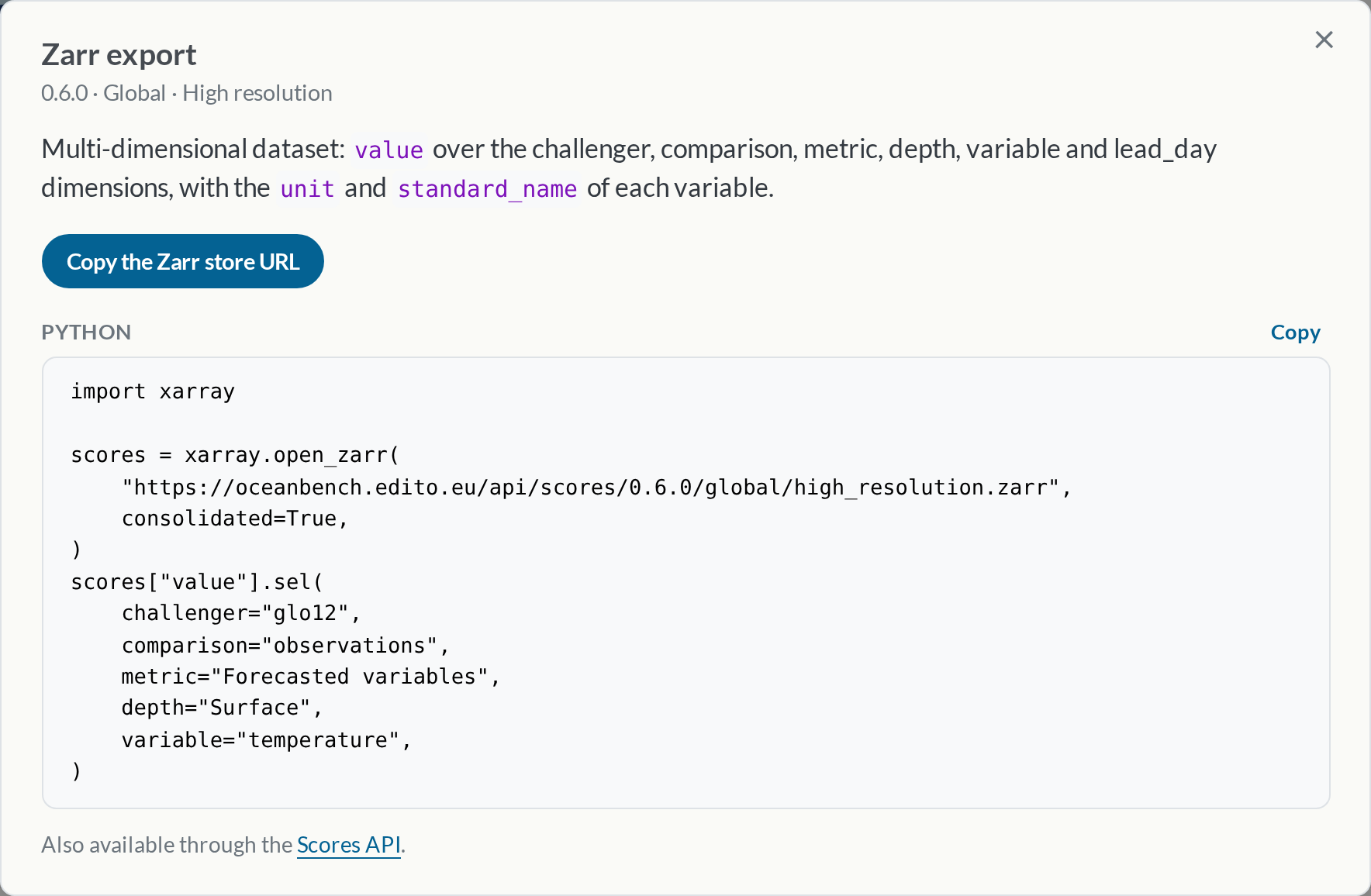
Three formats
- CSV and Parquet hold one row per challenger, comparison, metric, depth, variable and lead day, ready for
pandasor a spreadsheet. - Zarr holds a multi-dimensional dataset:
valueover thechallenger,comparison,metric,depth,variableandlead_daydimensions, with theunitandstandard_nameof each variable. Select any slice withxarray:
import xarray

scores = xarray.open_zarr(
    "https://oceanbench.edito.eu/api/scores/<version>/global/high_resolution.zarr",
    consolidated=True,
)
scores["value"].sel(challenger="glonet", comparison="reanalysis", depth="Surface")
The Scores API
The same files are served at stable URLs, so scripts and pipelines can fetch them directly:
curl https://oceanbench.edito.eu/api/scores/index.json
curl -O https://oceanbench.edito.eu/api/scores/<version>/<region>/<track>.parquet
index.json lists every available version, region and track. The Scores API documentation describes the endpoints, columns and dimensions.